Kubernetes Secret vs. ConfigMap: Why Use Secrets If Base64 Isn't Encryption?
Why store credentials in Kubernetes Secrets when Base64 isn't encryption? A practical look at RBAC, encryption at rest, and how Secrets work with credential management tools.

I recently came across a Kubernetes meme about someone storing passwords in a ConfigMap.
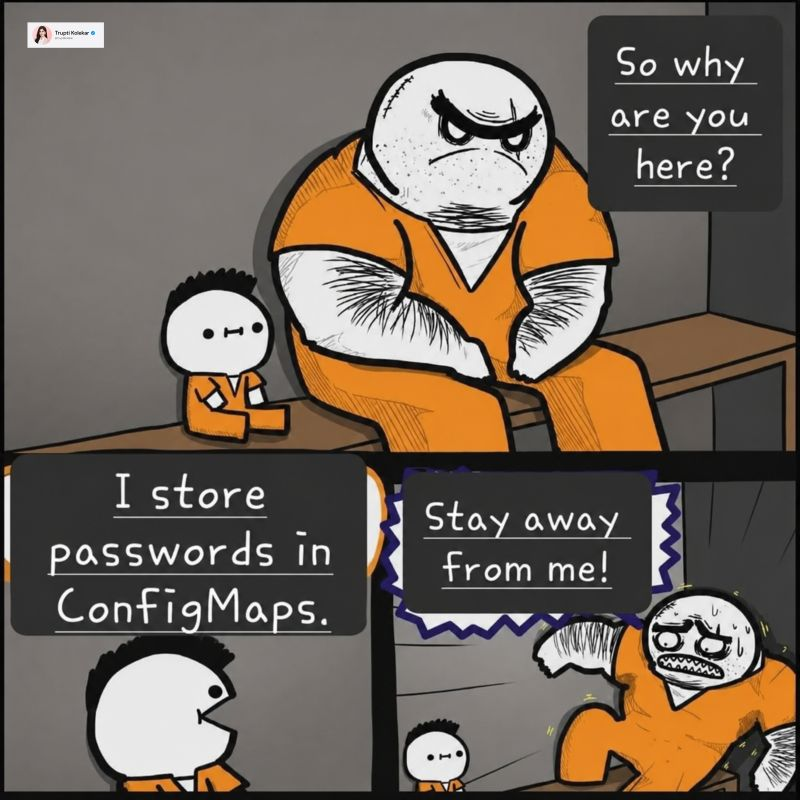
If you’ve spent time running Kubernetes, you probably get the joke. If you’re new to it, though, the problem might not be so obvious.
A ConfigMap stores the password as plain text. A Secret’s data field looks different, but it’s just the same value encoded in Base64.
That doesn’t actually encrypt anything. So why are we supposed to put passwords in Secrets instead of ConfigMaps?
I thought that was a question worth spending a little time on.
If Secrets Are Just Base64, Why Not Use a ConfigMap?
Secrets let us manage access to credentials separately from ordinary configuration through RBAC. They also work with encryption at rest and the credential management tools in the Kubernetes ecosystem. Those protections need to be configured, though. Creating a Secret doesn’t automatically encrypt the password. Kubernetes Secrets documentation
Looking only at the Base64 in the YAML doesn’t tell us much about why Secrets are useful. We also need to look at who can read the password, whether it’s encrypted when stored in etcd, and which tools can manage it.
How Secrets and ConfigMaps Compare
A ConfigMap holds ordinary configuration, while a Secret holds sensitive data such as passwords and tokens. Some of their capabilities overlap: both support RBAC and can be configured for encryption at rest. ConfigMap documentation
| Comparison | ConfigMap | Secret |
|---|---|---|
| Intended use | Ordinary configuration | Passwords, tokens, keys, certificates |
| API representation | Plain-text strings in data; Base64 in binaryData | Base64 in data; accepts plain-text input through stringData |
| Default etcd encryption | API-level encryption at rest is not enabled by default in Kubernetes; check the cluster configuration | API-level encryption at rest is not enabled by default in Kubernetes; check the cluster configuration |
| Encryption at rest | ✅ Can be configured | ✅ Can be configured; recommended in the official guidance |
| Sensitive-data handling by Kubernetes and tools | Treated as ordinary configuration; don’t expect tools to hide the contents | Intended for sensitive data; tools may take extra precautions, but masking isn’t guaranteed |
| Separate RBAC permissions | ✅ Can have its own permissions | ✅ Can be authorized separately from ConfigMaps; stricter permissions must be configured |
| Secret store / Vault / KMS integration | Not the usual resource for credential integrations; KMS-backed encryption at rest is still possible | ✅ Common resource for external credential integrations; also supports KMS-backed encryption at rest |
Output from tools such as kubectl describe | kubectl describe configmap displays the data | kubectl describe secret usually shows keys and sizes; kubectl get secret -o yaml still returns the Base64 values |
You might still be thinking, “If a ConfigMap can have access controls and encryption too, why separate them?” Database configuration makes a useful example.
First, Secrets Can Have Their Own RBAC Permissions
Suppose someone is troubleshooting a database connection. They may need to see DB_HOST, but they don’t necessarily need DB_PASSWORD.
If both live in a ConfigMap, permission to read the configuration also exposes the password. Put DB_PASSWORD in a separate Secret, and you can grant access to just the ConfigMap. For a ServiceAccount, the relevant part of a Role could look like this:
1
2
3
4
rules:
  - apiGroups: [""]
    resources: ["configmaps"]
    verbs: ["get", "list"]
There’s no secrets entry here, so this rule doesn’t grant access to Secrets. A user, controller, or workload that only needs to inspect configuration doesn’t have to get the password as well.
One detail is easy to miss: RBAC permissions are additive. If another RoleBinding or ClusterRoleBinding already grants access to Secrets, this rule won’t take it away.
Pod creation permissions matter too. Someone who can create a Pod may be able to read a Secret by mounting it. And list and watch can expose Secret contents as well, so restricting only get isn’t enough. Secret access control guidance
Second, Secrets Can Use Kubernetes Encryption at Rest
Once access is sorted out, there’s the question of how the data is stored.
The data field may just be Base64, but you can configure an encryption provider on the Kubernetes API server to encrypt the data before writing it to etcd:
1
2
3
4
5
Kubernetes API Server
    ↓ Encryption Provider
Encrypted Secret data
    ↓
etcd
Encryption at rest is actual encryption: you need the key to recover the data. It’s separate from the Base64 you see in YAML.
Kubernetes doesn’t enable API-level encryption at rest for Secrets by default. If you’re using a managed cluster, check the service’s configuration. ConfigMaps can also be included, so kind: Secret alone doesn’t tell you whether the stored data is encrypted. Encryption at rest documentation
Whether encryption stops someone from reading the password depends on where they’re reading it from.
If etcd files or snapshots leak, encryption provides protection as long as the keys haven’t leaked too. But if someone already has permission to run kubectl get secret -o yaml, the API server will still return values they can decode. That’s why we need both encryption and RBAC.
When enabling encryption, remember that existing data needs to be rewritten to apply it. Old backups won’t become encrypted automatically either. Encrypting existing data
Third, Many Kubernetes Security Tools Integrate with Secrets
We don’t necessarily have to maintain every Secret YAML file by hand.
External Secrets Operator, HashiCorp Vault, AWS Secrets Manager, GCP Secret Manager, Azure Key Vault, Secrets Store CSI Driver, and Sealed Secrets all come up in this area, although they do different jobs.
For example, you can keep passwords in Vault or a cloud secret manager. External Secrets Operator can retrieve them and create Kubernetes Secrets for Pods to use. External Secrets Operator documentation
1
2
3
4
5
6
7
Vault / AWS Secrets Manager / GCP Secret Manager / Azure Key Vault
    ↓
External Secrets Operator
    ↓
Kubernetes Secret
    ↓
Pod
That lets Git hold the configuration describing where to retrieve the credentials, without containing the passwords themselves. Once synced into the cluster, the resulting Secret still needs the access controls and encryption discussed above.
Another option is Secrets Store CSI Driver, which mounts external credentials directly as files inside a Pod:
1
2
3
4
5
Vault / Cloud Secret Manager
    ↓
Secrets Store CSI Driver + provider
    ↓
Pod filesystem
This doesn’t necessarily create a Kubernetes Secret. If the application needs one, you can enable syncing separately. A Pod must mount the corresponding CSI volume to trigger that sync. CSI Secret sync documentation
Sealed Secrets takes a different approach: it encrypts the data into a SealedSecret that can be stored in Git. A controller in the cluster decrypts it and creates a regular Kubernetes Secret. Sealed Secrets documentation
These tools don’t all depend on Kubernetes Secrets for storage, but Secrets are a common resource they use when integrating with Kubernetes. Using Secrets for credentials makes it easier to work with those tools.
KMS often comes up in the same discussion. In Kubernetes encryption-at-rest integrations, its job is to manage encryption keys. That’s different from a secret manager that stores passwords and tokens.
A Secret Doesn’t Make a Password Safe by Itself
With that in mind, take another look at this YAML. The password below is just an example:
1
2
3
4
5
6
7
apiVersion: v1
kind: Secret
metadata:
  name: demo-credentials
type: Opaque
data:
  password: cGFzc3dvcmQ=
In a shell with the base64 command available, recovering it is straightforward:
1
2
printf '%s' 'cGFzc3dvcmQ=' | base64 -d
# Output: password
If you commit a Secret YAML file containing real credentials to Git, anyone who can read the file can still get the password. Switching to stringData doesn’t help; that field is just a convenient way to supply plain-text input. Secret documentation
In production, you still need to restrict Secret access, configure encryption at rest, rotate credentials, and audit access. For GitOps, you can store references to external credentials or appropriately encrypted resources, as in the examples above. Secret security practices
Final Thoughts
Looking back at the meme, I think the confusing part is treating “using a Secret” and “the password is encrypted” as the same thing. Secrets let us manage passwords separately from ordinary configuration and work with encryption and external credential tools. But we still have to set those things up.
So yes, passwords belong in Secrets. We just can’t stop there and assume they’re safe. Base64-encode a password and commit it to Git, and it’s still an exposed password.
For an example of mounting and syncing external credentials, see my post on fixing Secrets Store CSI sync on EKS.
References
- Kubernetes: Secrets
- Kubernetes: ConfigMaps
- Kubernetes: Good practices for Kubernetes Secrets
- Kubernetes: Encrypting Confidential Data at Rest
- External Secrets Operator documentation
- Secrets Store CSI Driver: Sync as Kubernetes Secret
- Sealed Secrets on GitHub
- On this blog: Fixing Secrets Store CSI Sync on EKS